Interactive 3D explainer · three.js
Starship Flight Lab
An interactive 3D web app that explains how SpaceX's Starship flies: launch, hot staging, the booster caught by the tower, reentry and the landing flip, with the live forces shown at every moment.
Showing the minute details, and how it gets caught back
The brief was a mini web app that explains, visually and interactively, how Starship works: the minute details of a flight, and how the booster and ship get caught back. It had to feel real enough to trust and clear enough that someone who has never watched a launch could follow every step.
So the lab follows both vehicles, Super Heavy and Starship, through every step of the mission over a curved Earth, with a mass and propellant model underneath. Every number on screen comes from textbook physics run against public flight-test information, and every figure is labelled as approximate. It is an independent educational project, not affiliated with SpaceX.
The 3D flight lab
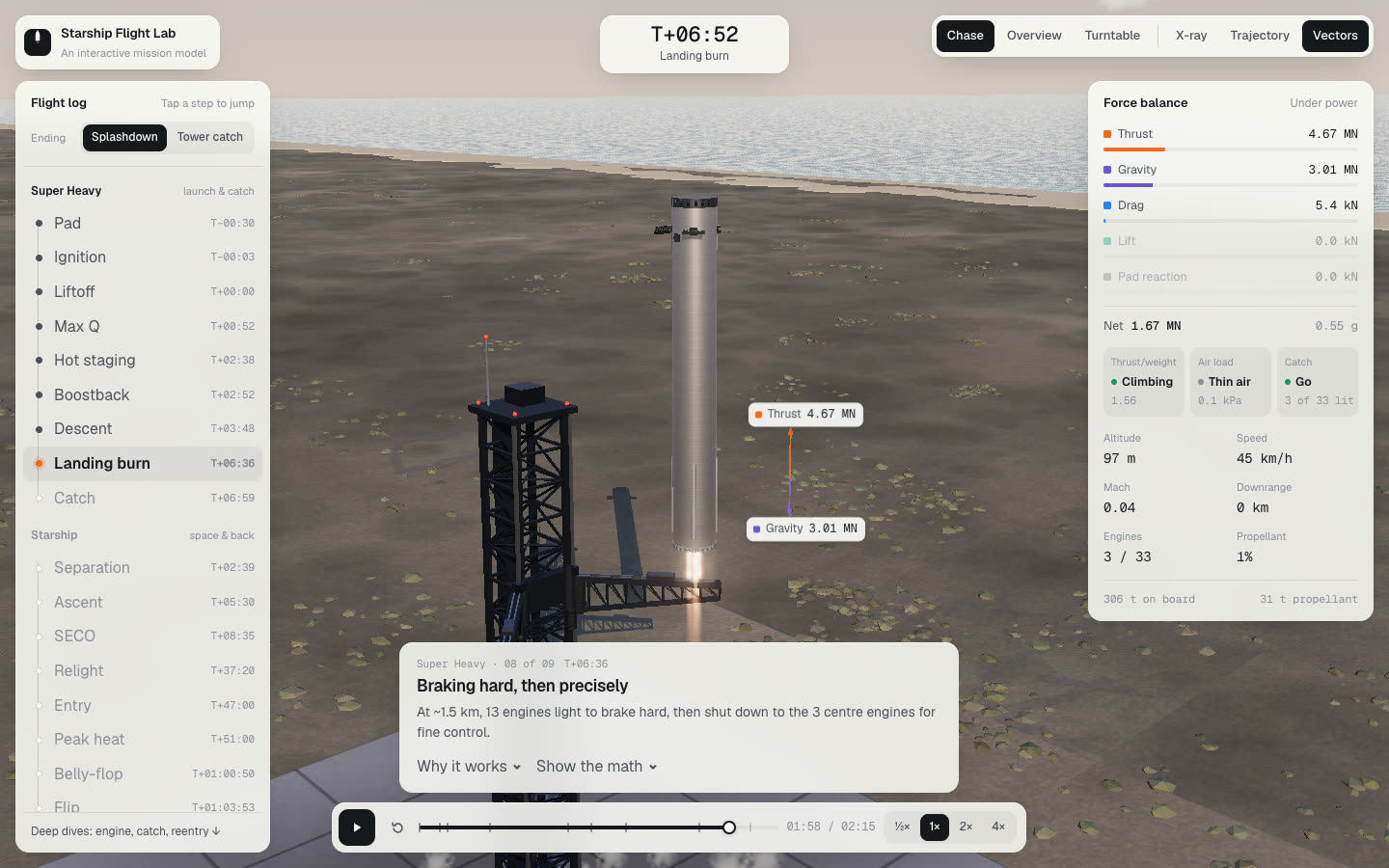
The site opens on a full-bleed 3D scene with the controls floating over it on light paper cards. The chrome stays in monochrome ink, and colour is kept for the physics: one colour per force, shared between the readouts and the arrows in the scene.
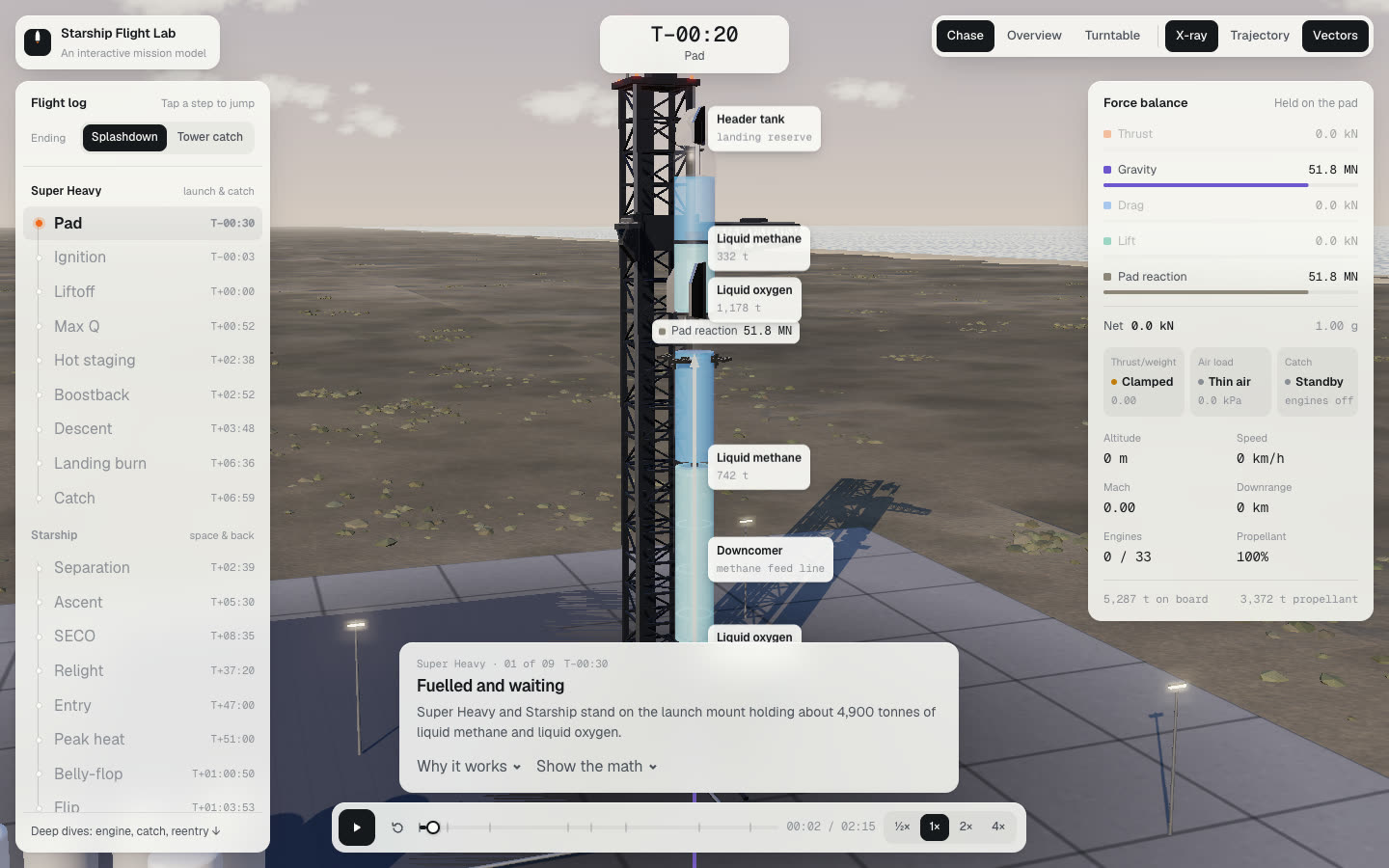
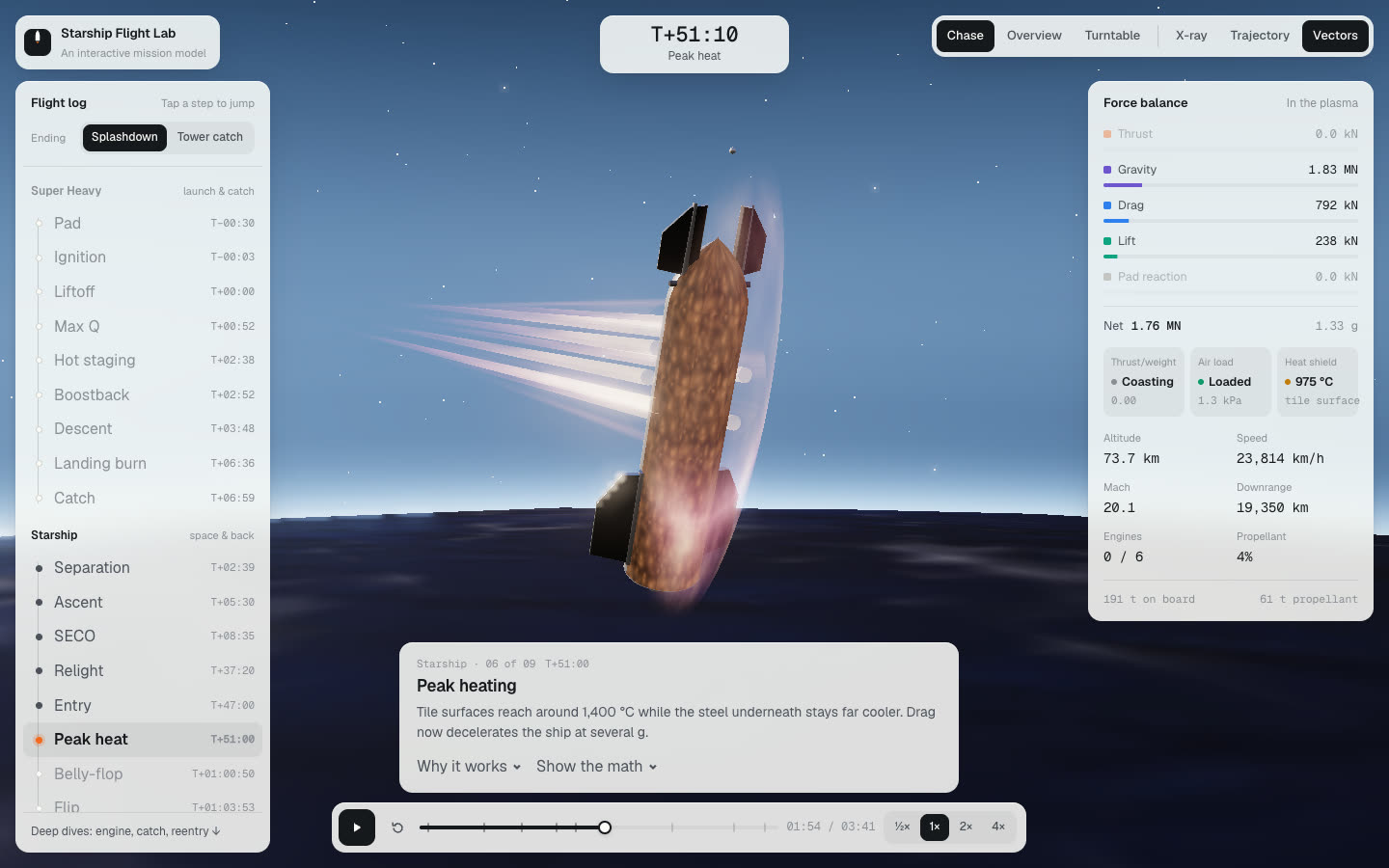
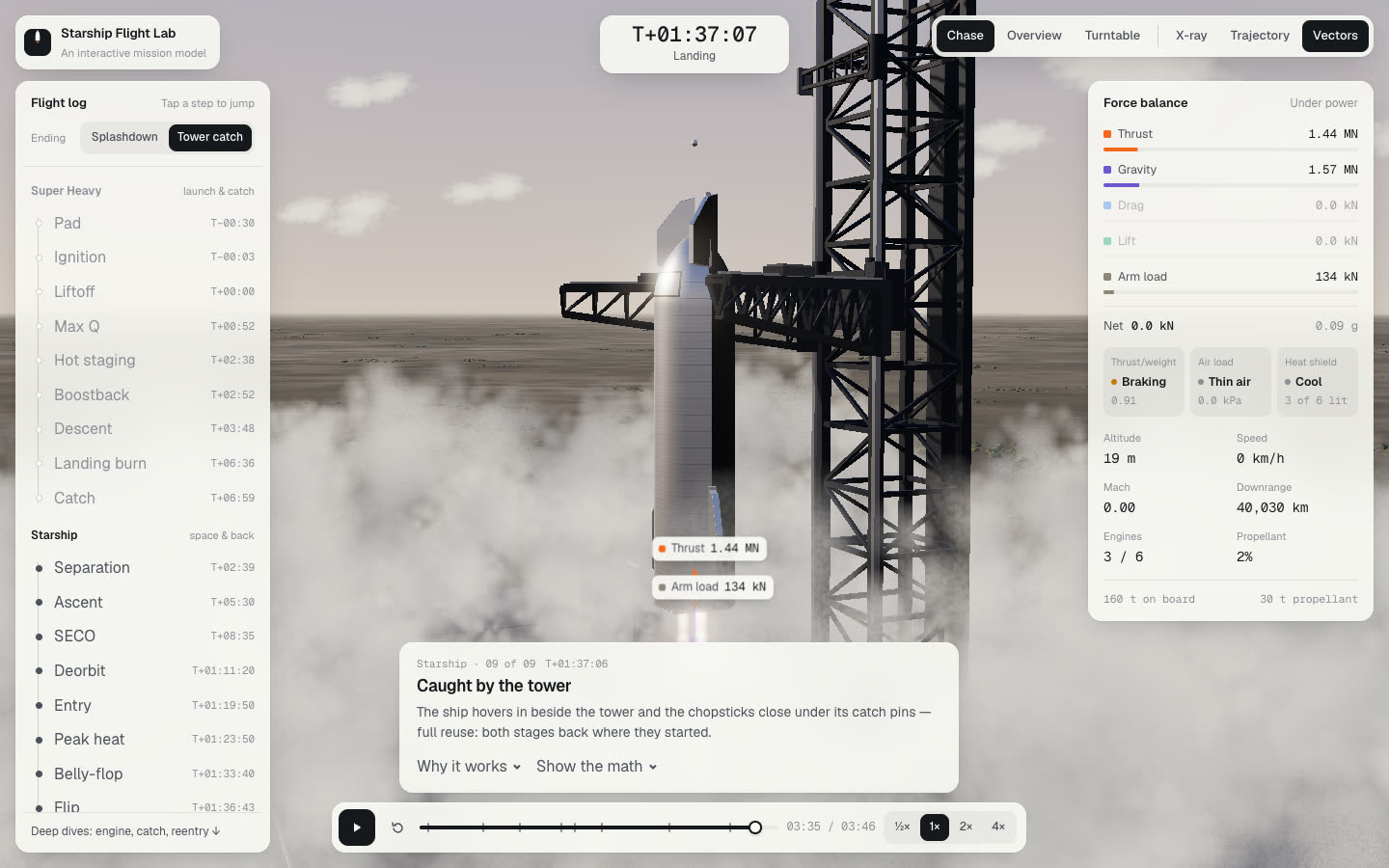
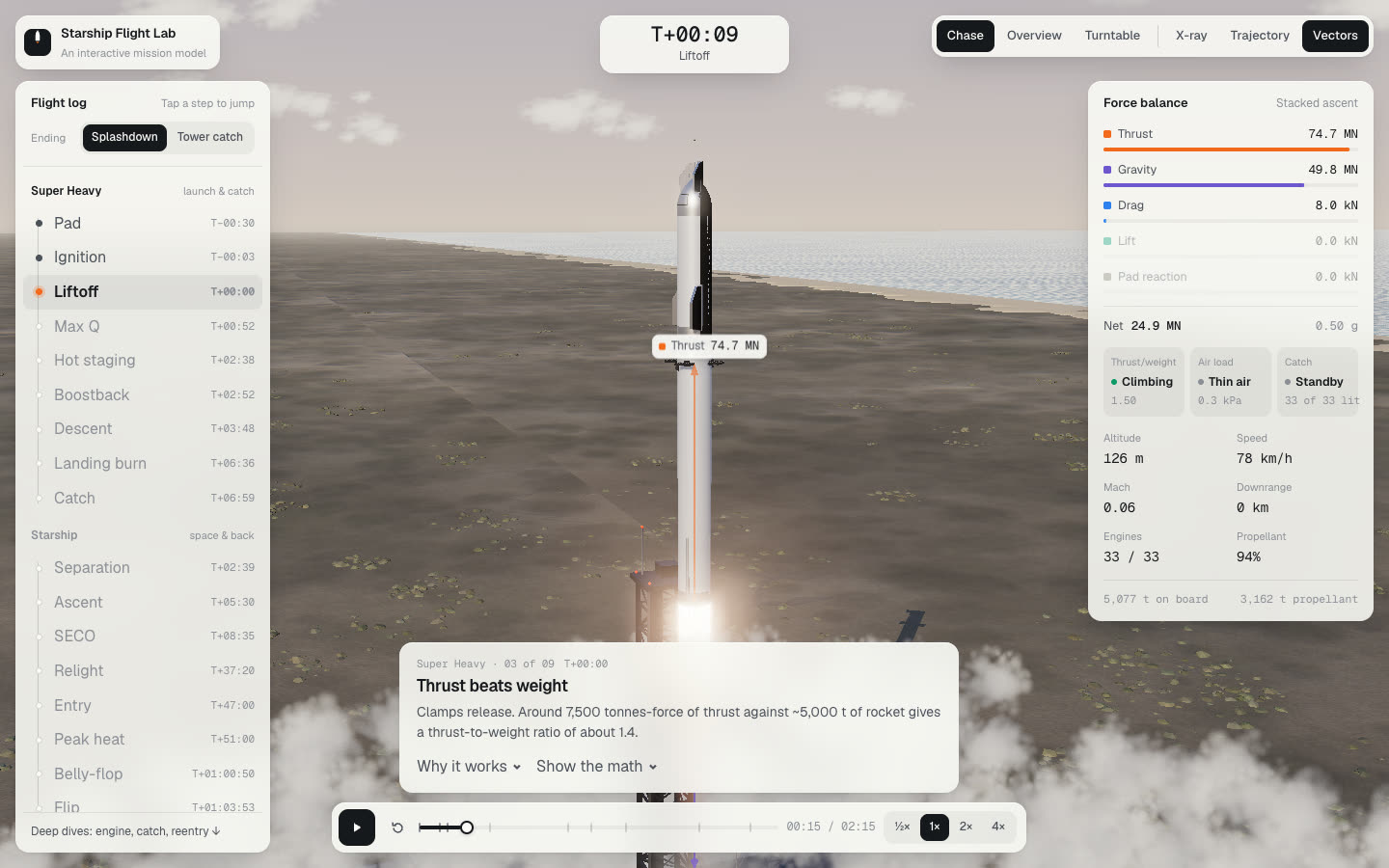
A flight log on the left lists every step of both vehicles, grouped as Super Heavy, launch and catch, and Starship, space and back. Clicking a step jumps straight to it. An Ending switch at the top picks between a splashdown, as on the flight tests, and a tower catch for full reuse. A mission clock sits at the top, and a slim transport bar at the bottom plays, restarts and scrubs the flight at half to four times speed.
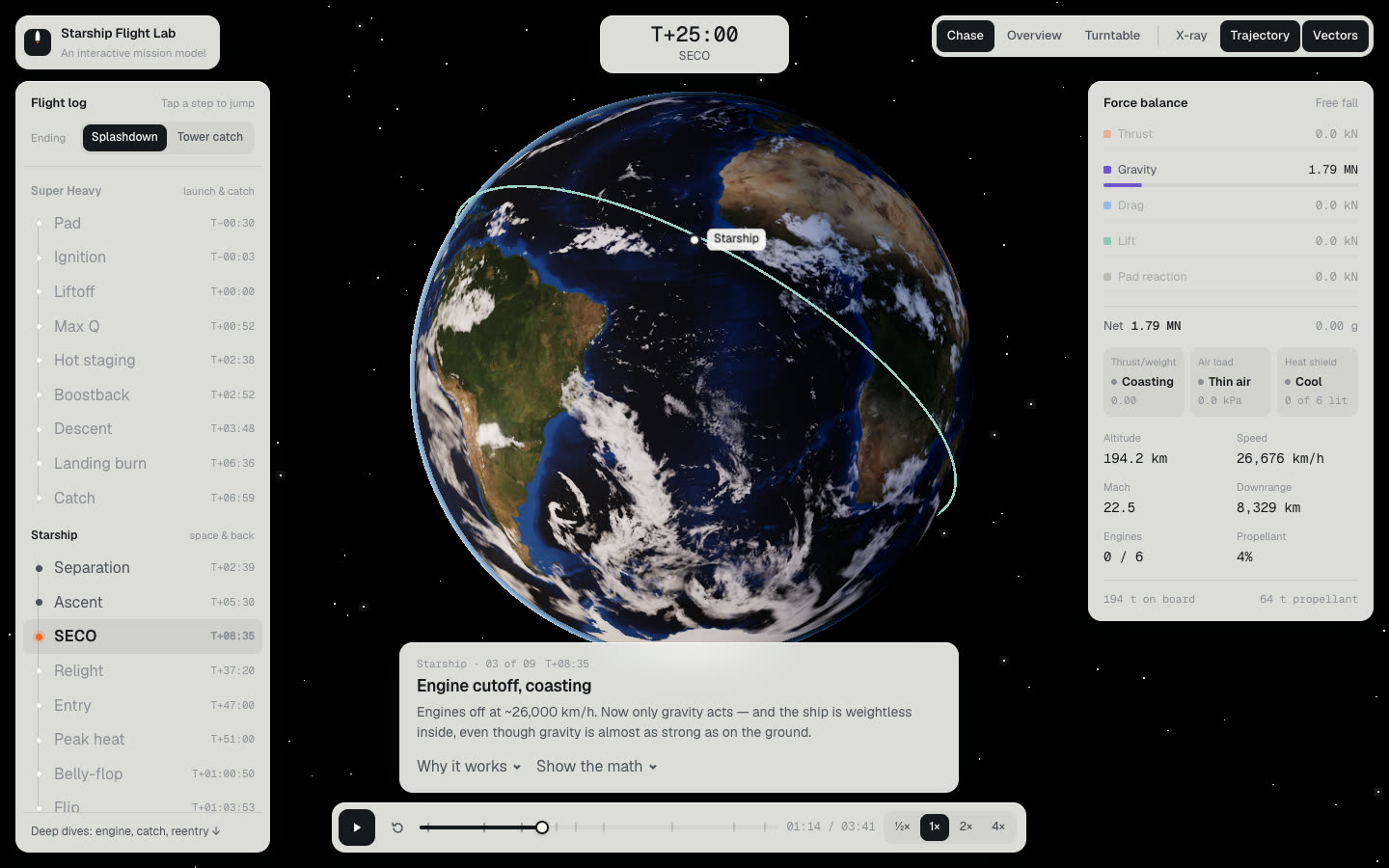
The view toolbar frames it. Chase, Overview and Turntable move the camera around the vehicle. X-ray turns the hull transparent to show the liquid oxygen and methane tanks with live tonnage, the downcomer and the header tanks. Trajectory pulls out to both flight paths over a NASA Blue Marble Earth.
Forces you can read
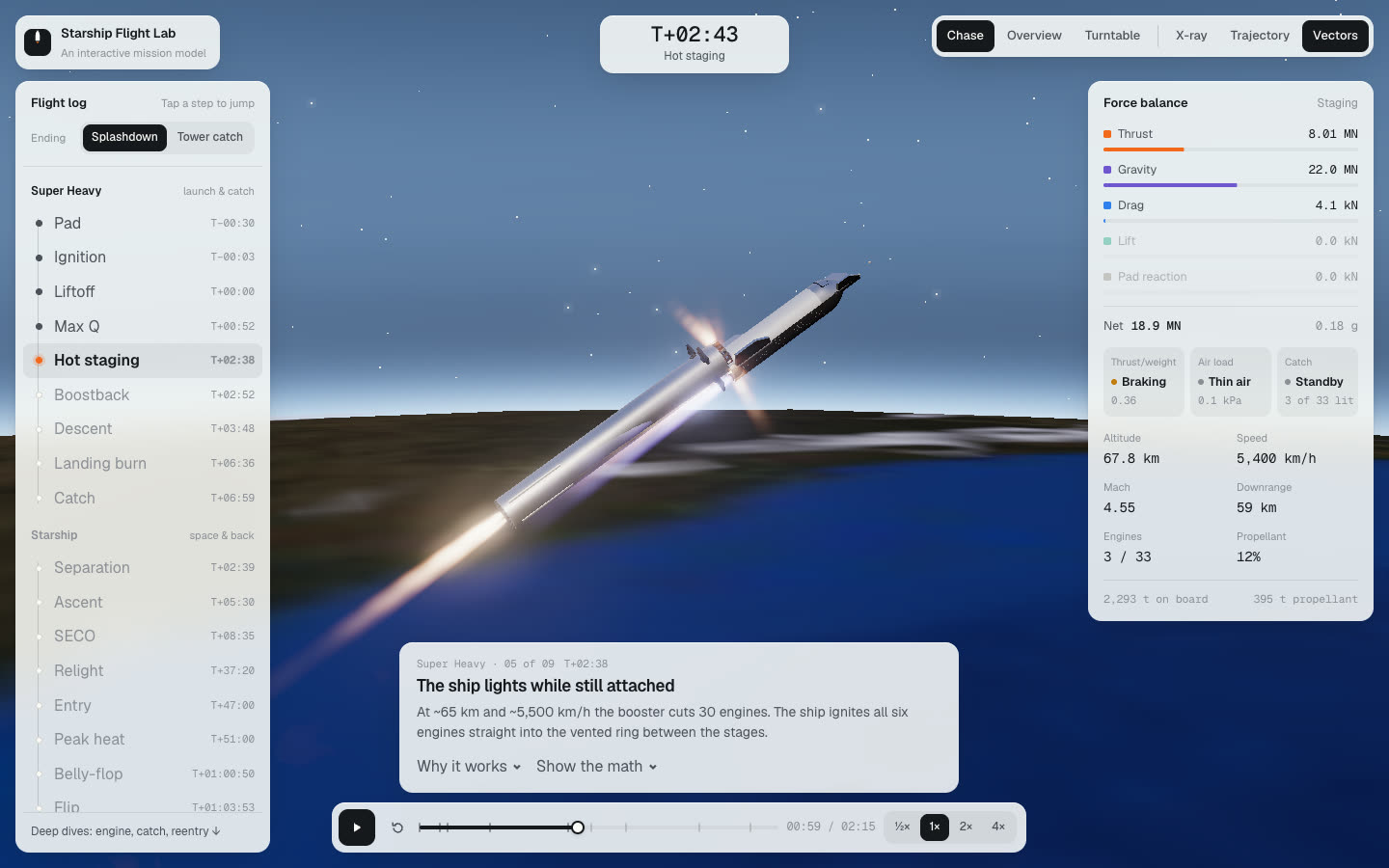
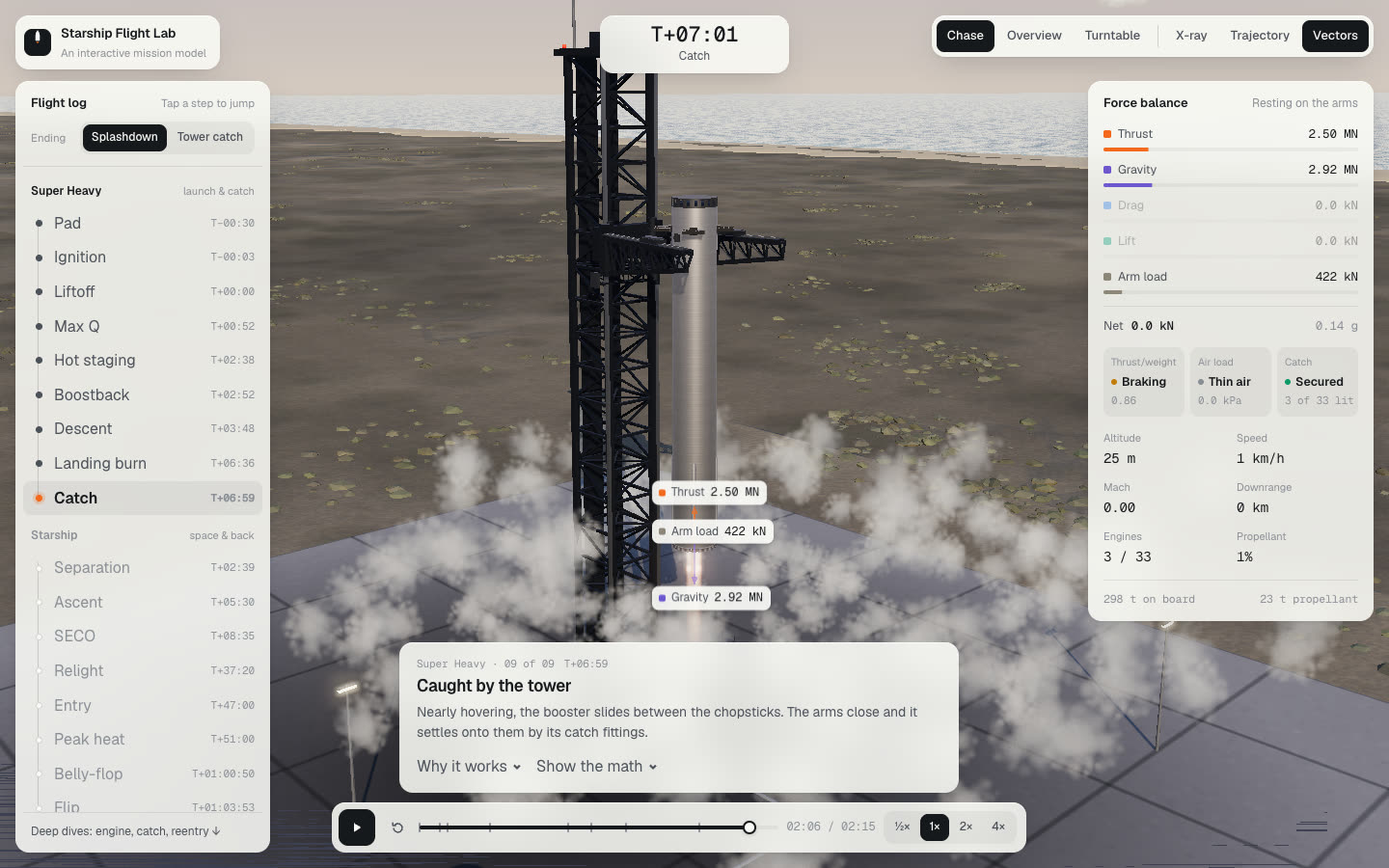
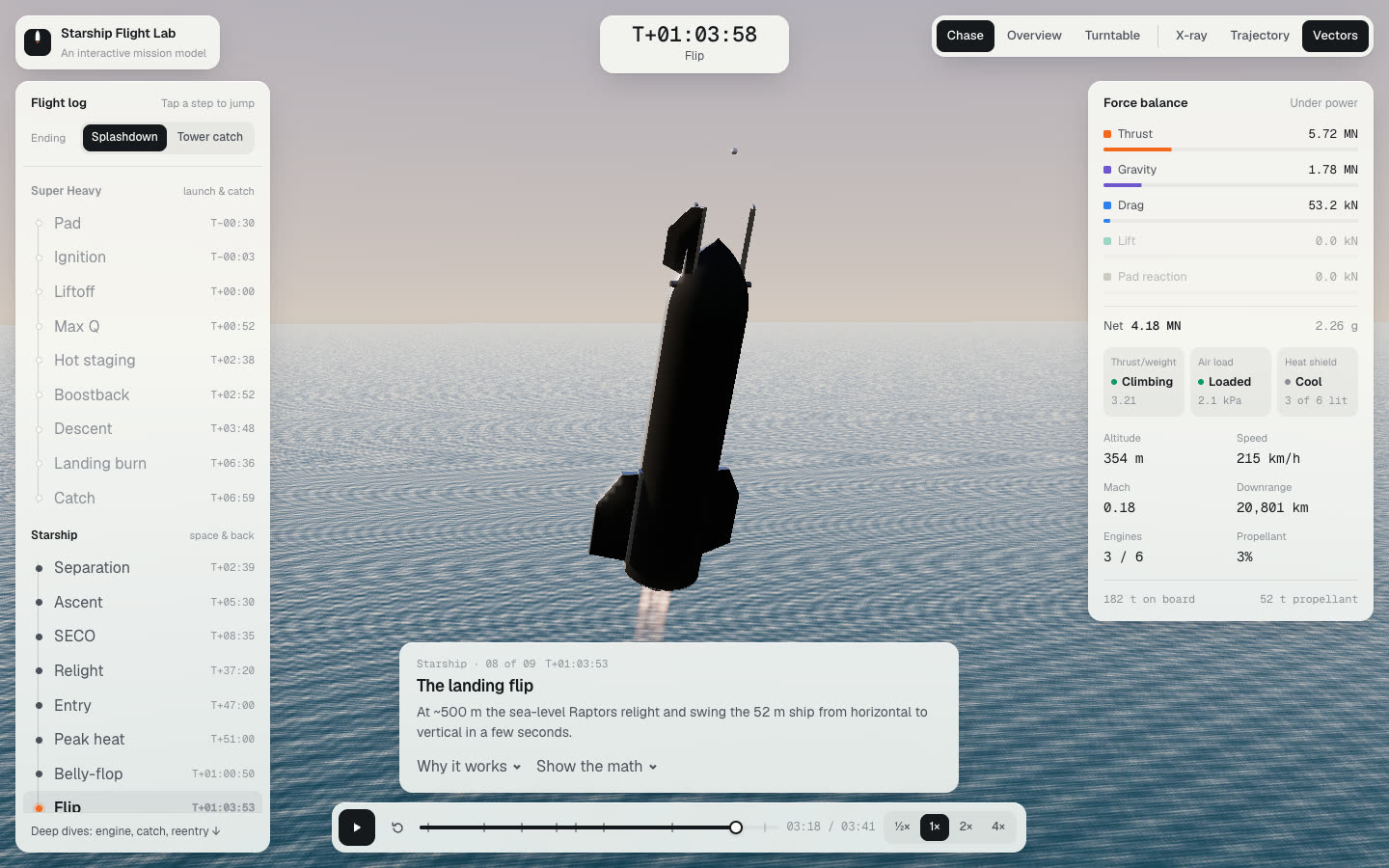
The force balance card shows thrust, gravity, drag, lift and the pad reaction or the tower arms' load as coloured bars, with the net force and g underneath. Three status tiles track thrust to weight, air load, and the catch or the heat shield, followed by live altitude, speed, Mach, downrange, engines and the mass still on board.
At the bottom, an explainer card names each step and says what is happening. "Why it works" opens cited points from NASA, OpenStax, Wikipedia and SpaceX, and "Show the math" puts the equations up with the live numbers in them.
The ship's way home
The Starship steps follow the ship from separation to landing. On reentry a turbulent shock layer builds on the windward belly, plasma streams off the edges and the tiles glow unevenly, while the panel tracks heat-shield temperature and drag. Near the sea the ship relights and swings upright in the landing flip, then either splashes down or, with the tower-catch ending, settles into the arms.
Realism
- Golden-hour light with sun shadows and reflective stainless steel, over a curved Earth with an atmosphere rim.
- Water with directional wave sets, sky reflection, sun glitter, turquoise shallows and surf at the beach, shared by the splashdown ocean.
- Ground with gentle relief, thousands of clumped scrub bushes, dunes and close-up grain that fades with distance, plus the factory high bays inland for scale.
- Engine plumes with shock diamonds and bloom, and steam clouds that replay exactly when you scrub the timeline.
Go deeper
Below the lab, three deep dives take one idea each further, and a fourth shows the working.
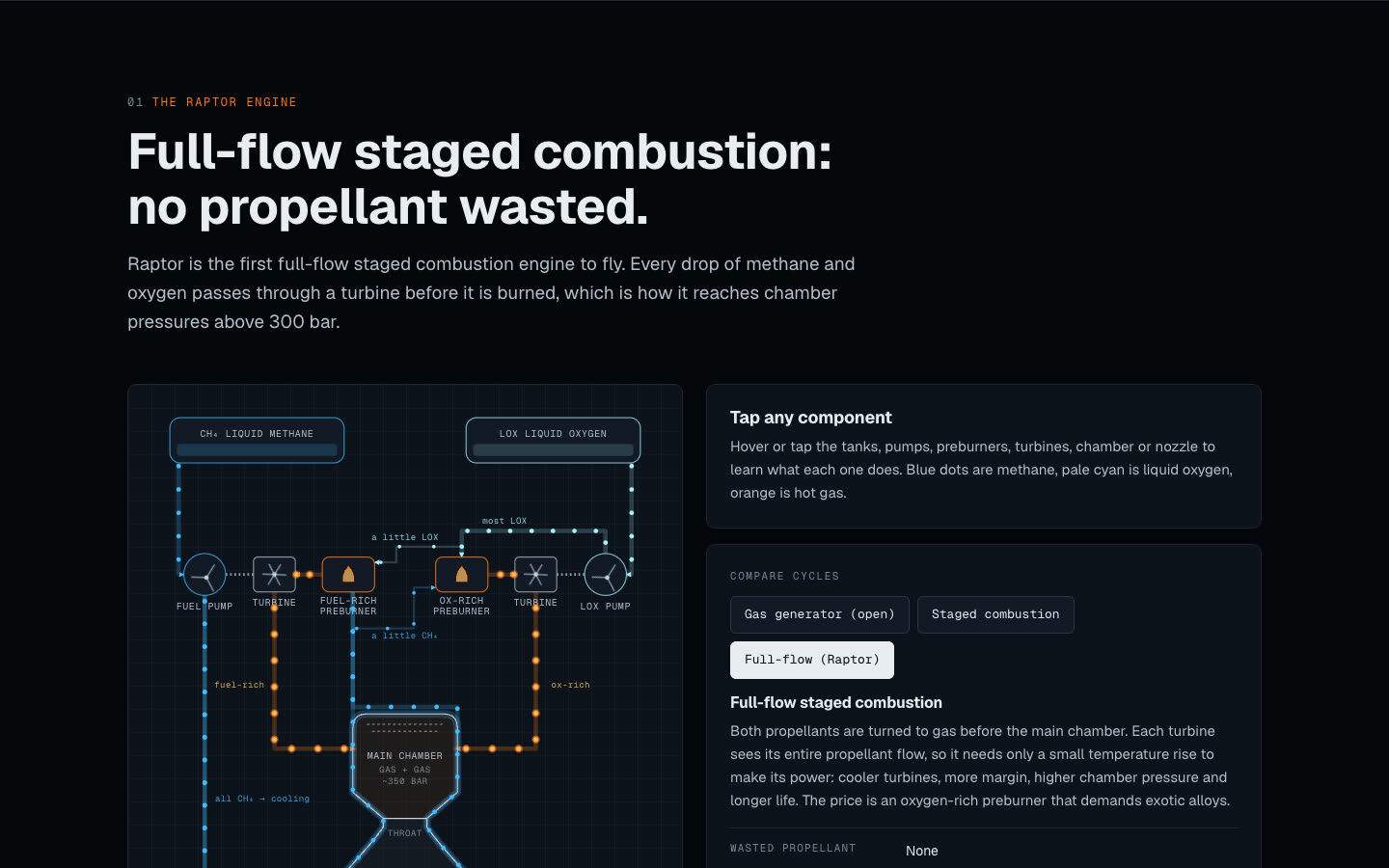
- The Raptor engine: an animated full-flow staged combustion diagram, a comparison of engine cycles, a throttle slider, Raptor 1, 2 and 3 side by side, and the booster's 33-engine layout with an engine-out demo.
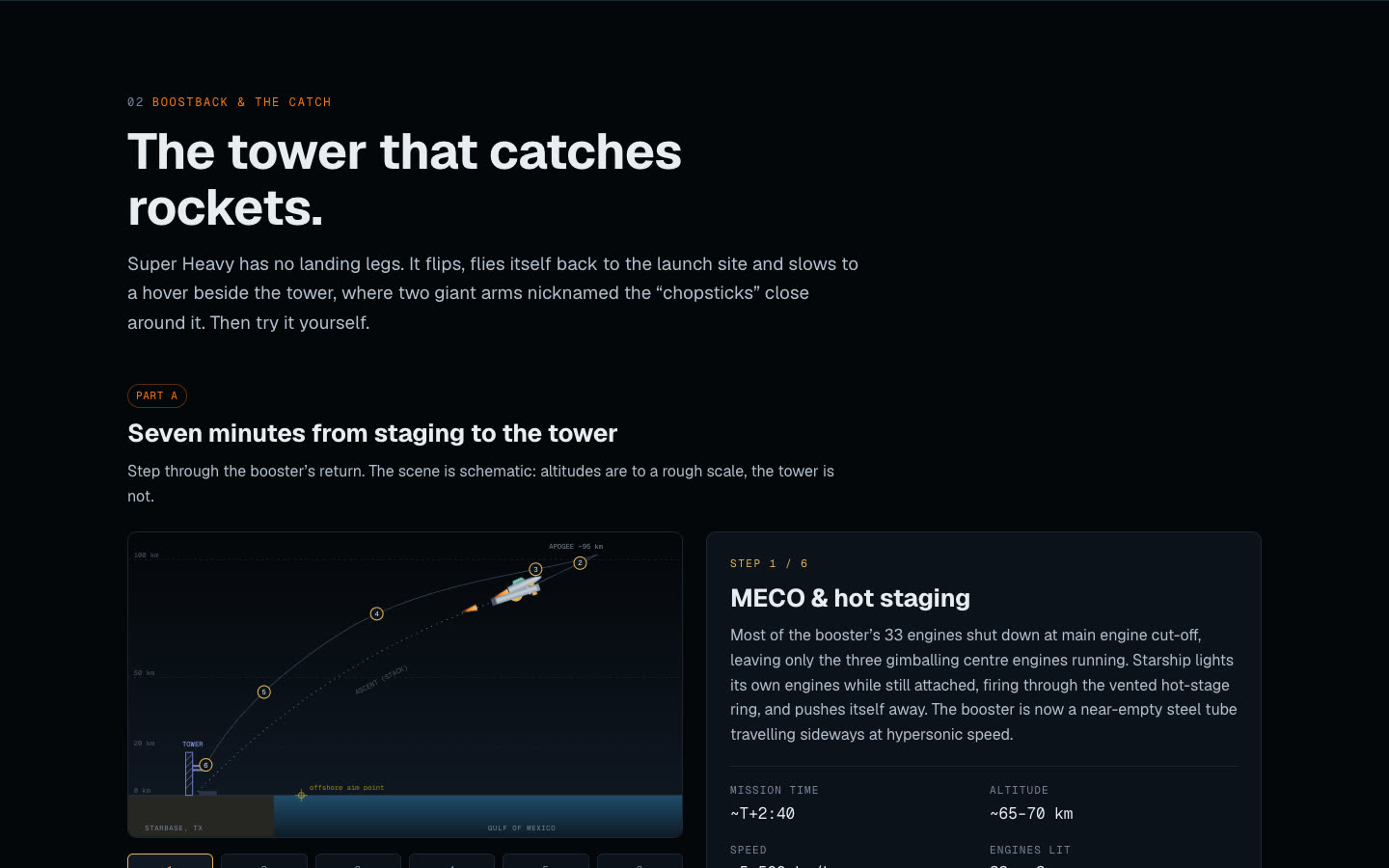
- Boostback and the catch: a six-step explainer of the booster's return, an anatomy of the tower, and a playable "Catch it yourself" game on keyboard or touch.
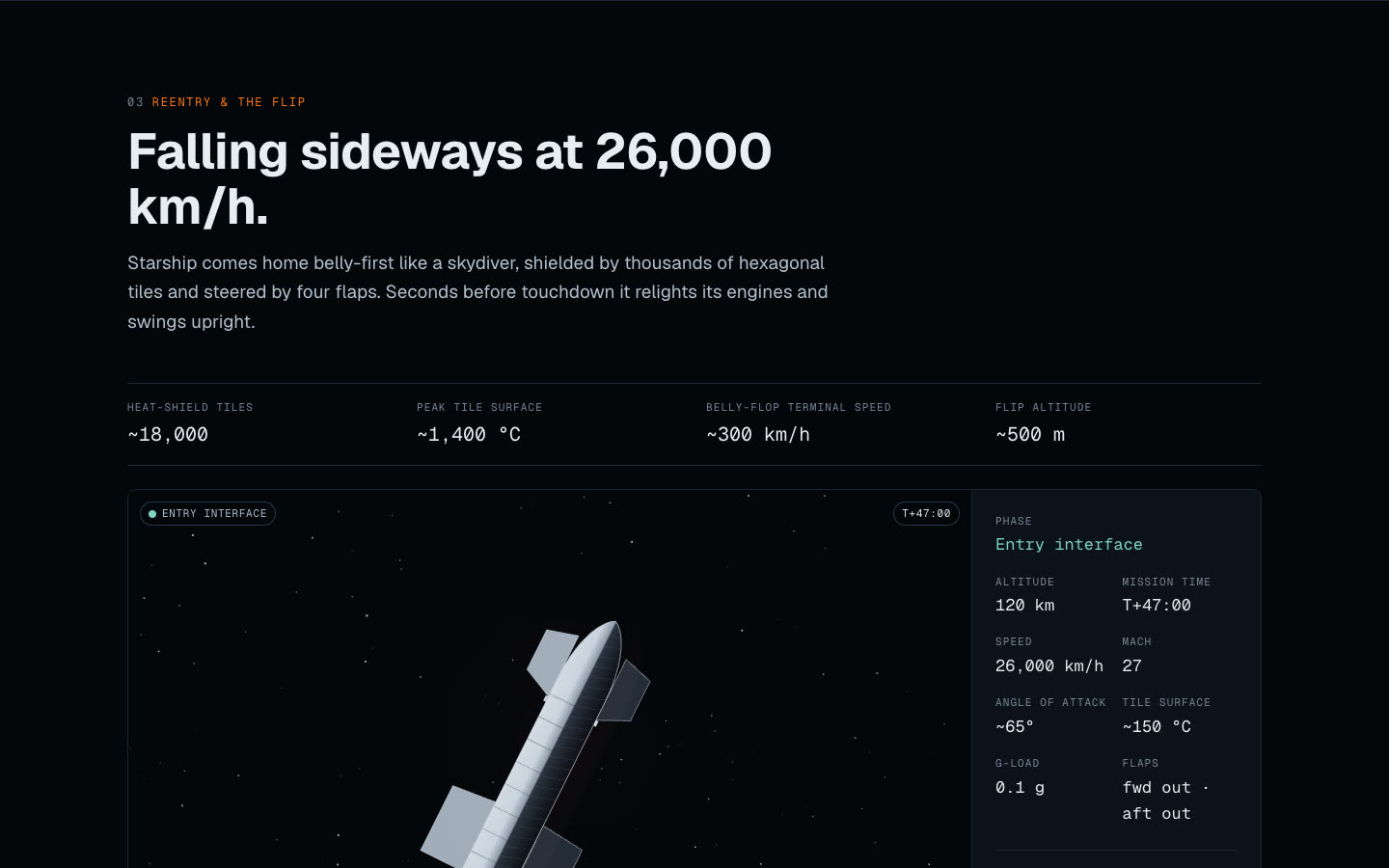
- Reentry and the flip: a reentry scrubber, a heat-shield tile explorer with a "simulate tile loss" button, flap controls, and capsule vs Shuttle vs belly-flop.
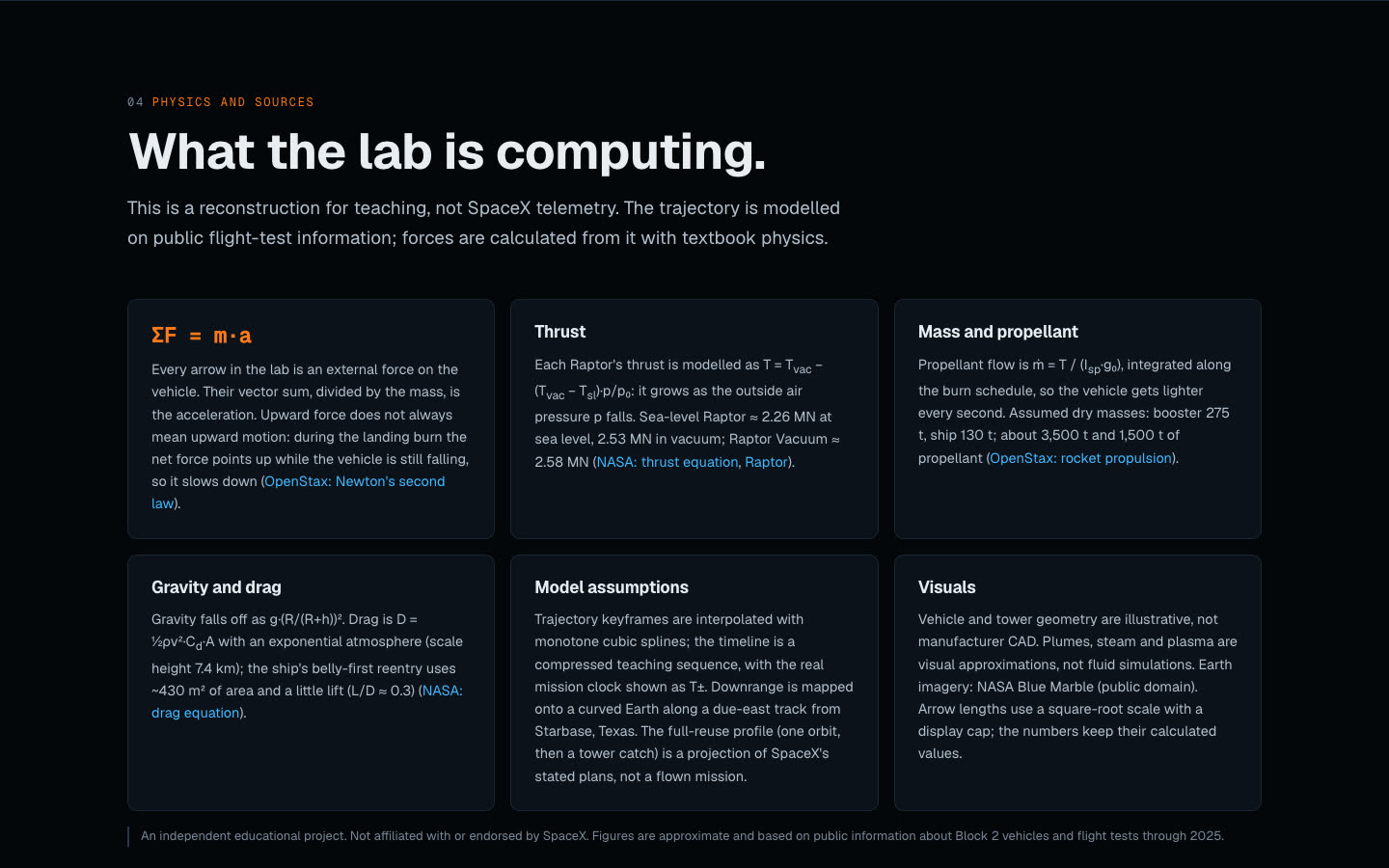
- Physics and sources: the model and its assumptions, from ΣF = ma and thrust against ambient pressure to mass flow and drag.
How it was built
- A static site in vanilla JavaScript modules and three.js, with no build step, deployed on Vercel.
- A flight model that interpolates the trajectory keyframes and computes every force from them: thrust against ambient pressure, drag from air density and speed, and mass that falls as propellant burns.
- Custom 3D models of the booster, ship and launch tower, with the tanks, downcomer and header tanks modelled inside for the X-ray view.
- A timeline-driven scene, so effects like the steam clouds, plumes and reentry glow are a function of time and replay exactly when you scrub.
- The interface and deep dives are plain HTML and SVG over the canvas, set in Geist and Geist Mono, with short ease-out motion that respects reduced-motion settings. On phones the scene sits on top and the cards stack below it.